Change your plan
Upgrade and manage billing on the Plan screen in console Settings. Owners and admins can do this.
Before you start
- You need the owner or admin role. Members see that billing is handled by owners and admins.
- Your organization must have passed operator review.
Note
Payments aren't open during the beta. Reviewed organizations use the Beta plan for free in the meantime.
Open the Plan screen
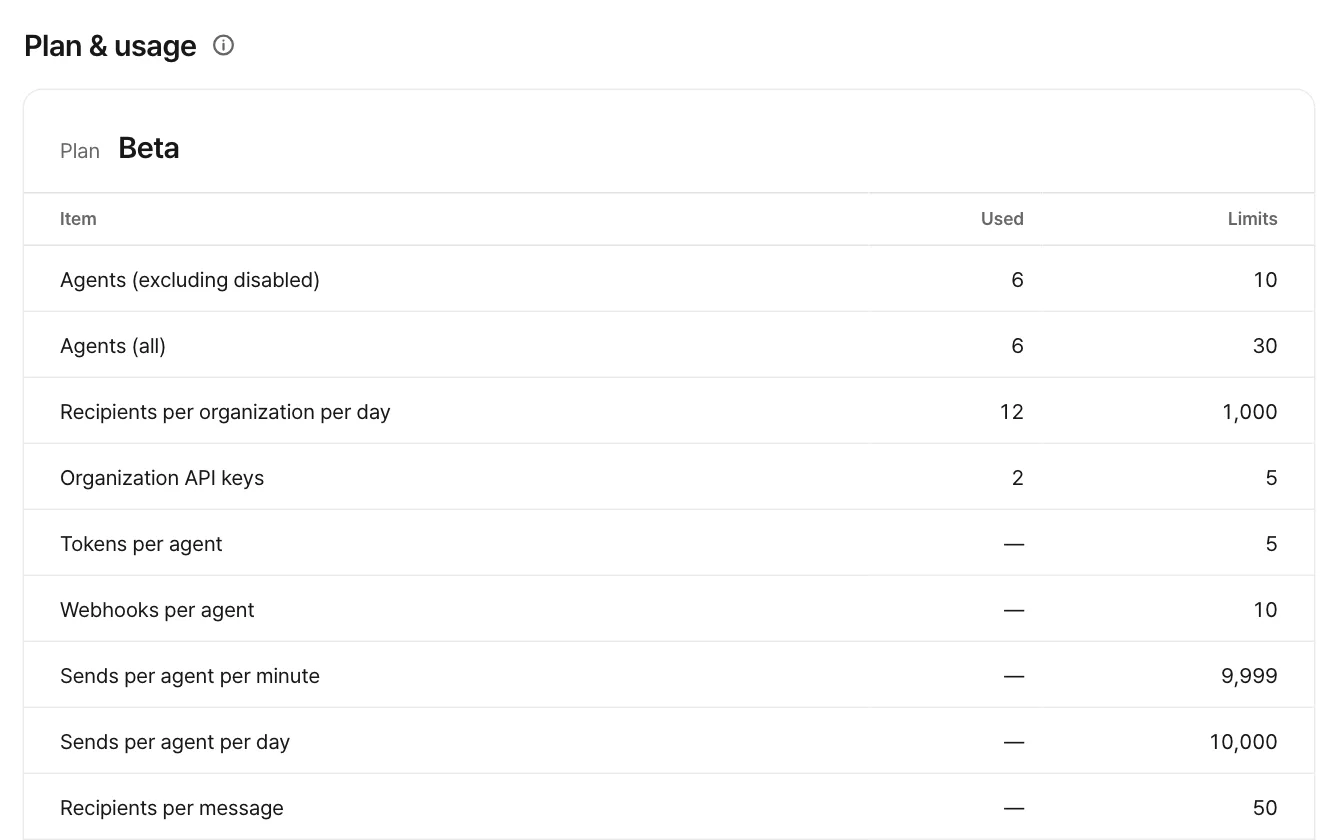
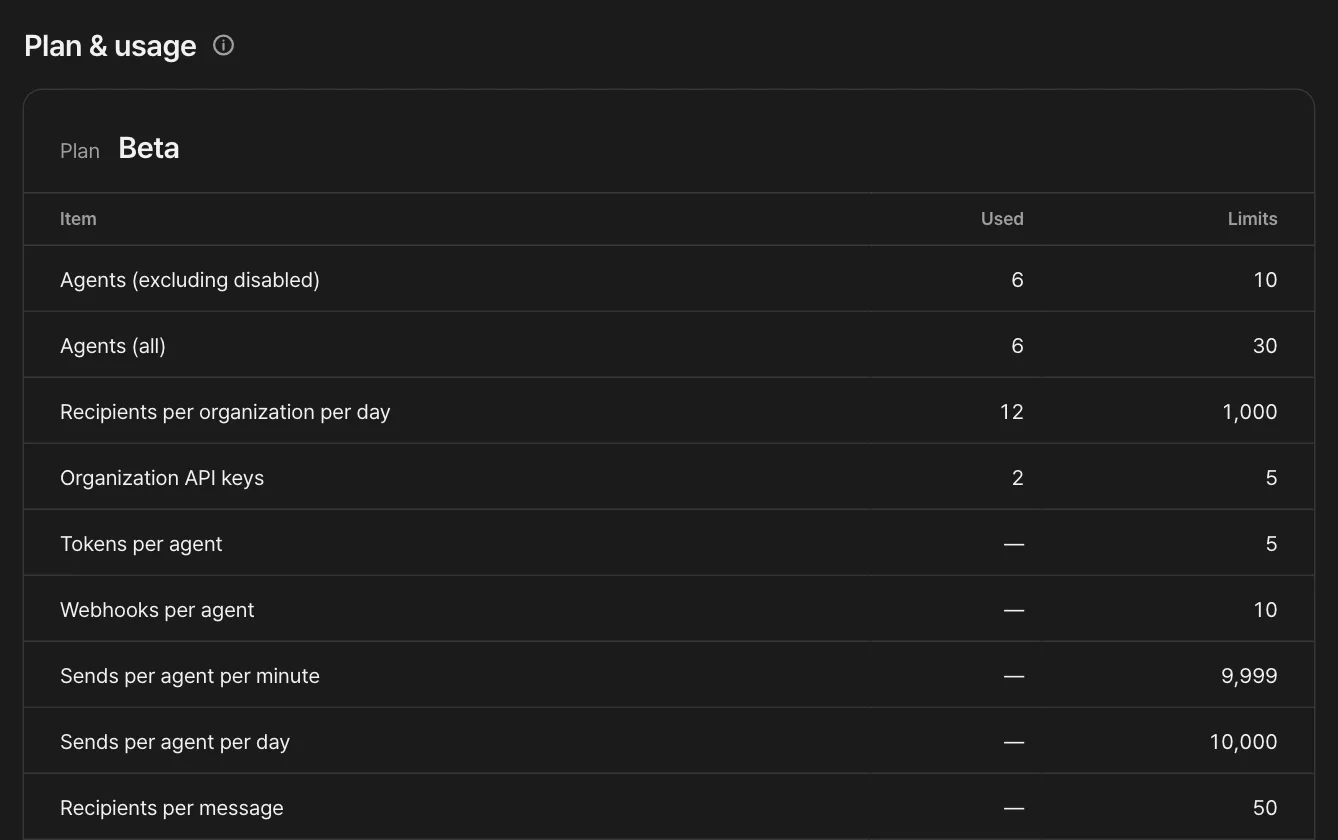
Go to Settings › Plan. You'll see your current plan and each item's usage and limit.
Pick a new plan
Choose a plan under New plan and choose Upgrade.
Pay
You're taken to the payment screen, where you see the price. When you're done, you come back to the console, and the change shows up once it's processed.
If Upgrade is locked
The ⓘ next to the button shows why. Common reasons:
- Payments aren't open during the beta. The Beta plan is free, and its limits are in the Beta column of Plans and limits.
- Your organization hasn't passed operator review yet.
- Billing isn't ready yet. To change plans, contact support.
Manage billing
After you subscribe, choose Manage billing to open the billing management page. If a payment fails, the Plan screen shows a warning, and if the payment method isn't fixed by the date shown, the plan changes to Free.
Payment, tax, and refunds
Paddle processes payments, tax and refunds as our Merchant of Record. Prices are in US dollars (USD), and tax may be added depending on where you are. Refunds follow the refund policy.
Feedback on this page? Write to support@atmark.ai.